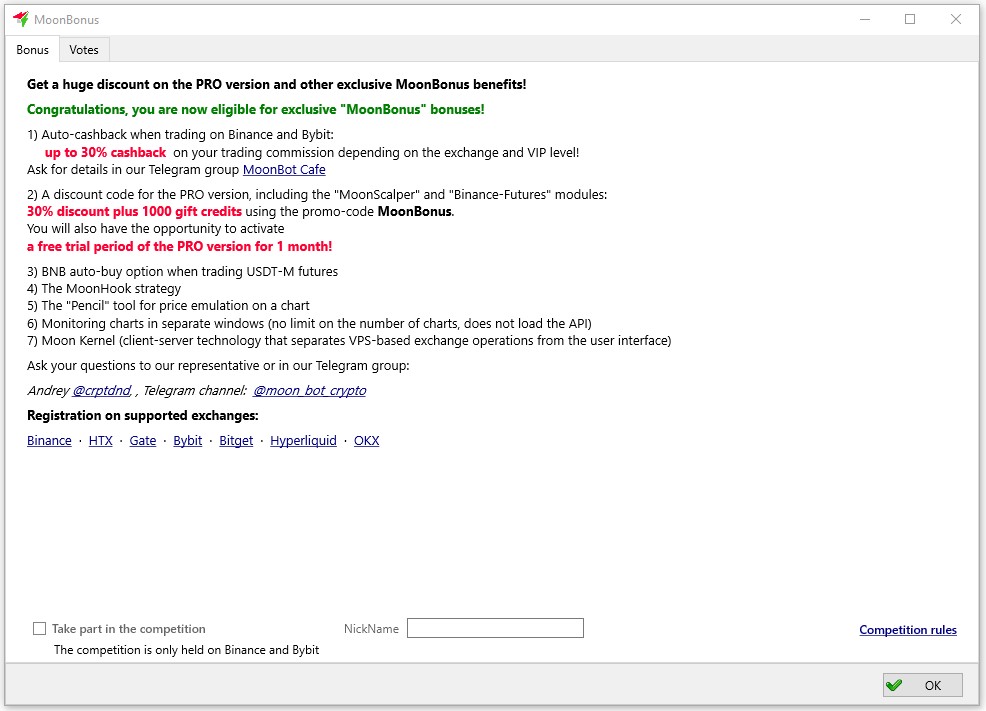
The MoonBonus functionality is activated without Moon Credits, but only for those users who have registered on the exchanges using our referral links:
Binance , HTX , Gate , Bybit , BitGet , OKX , Hyperliquid
The following bonuses and additional functionality will be automatically available to such users:
-
A free one-month trial period to use the PRO version on the Binance and Bybit exchanges
-
Trading fee rebates (availability depends on the exchange)
-
30% discount on the PRO version + 1000 Moon Credits as a gift
-
Automatic BNB purchase on Binance Futures
-
MoonHook strategy: based on detecting a price spike, confirming its pullback, and placing a buy order. The order is positioned within a price corridor, waiting for a repeated spike (* only in the PRO version)
-
Price emulation tool on the chart using the “Pencil”: allows drawing a price path. Trade “crosses” follow this trajectory, enabling testing of order execution, triggers, and stop-losses
-
Monitoring Charts in Separate Windows: enables the creation of dedicated, customizable windows for automatic chart monitoring, filtered by strategy detections or market events, allowing rapid transition to trading
-
Moon Kernel: is a client-server technology for separating exchange operations on a Kernel hosted on a VDS and an interface in a Client on the user's local computer
-
MoonAcademy coupon: access to training video courses from MoonAcademy with unlimited views and 1-month access to a private Telegram chat with instructors
To check whether the MoonBonus module is activated, click the MoonBonus button at the top of the terminal’s main window.
If the MoonBonus button is not displayed, go to the Settings -> User Interface tab and untick the "Hide MoonBonus button" option; the MoonBonus button will then appear.
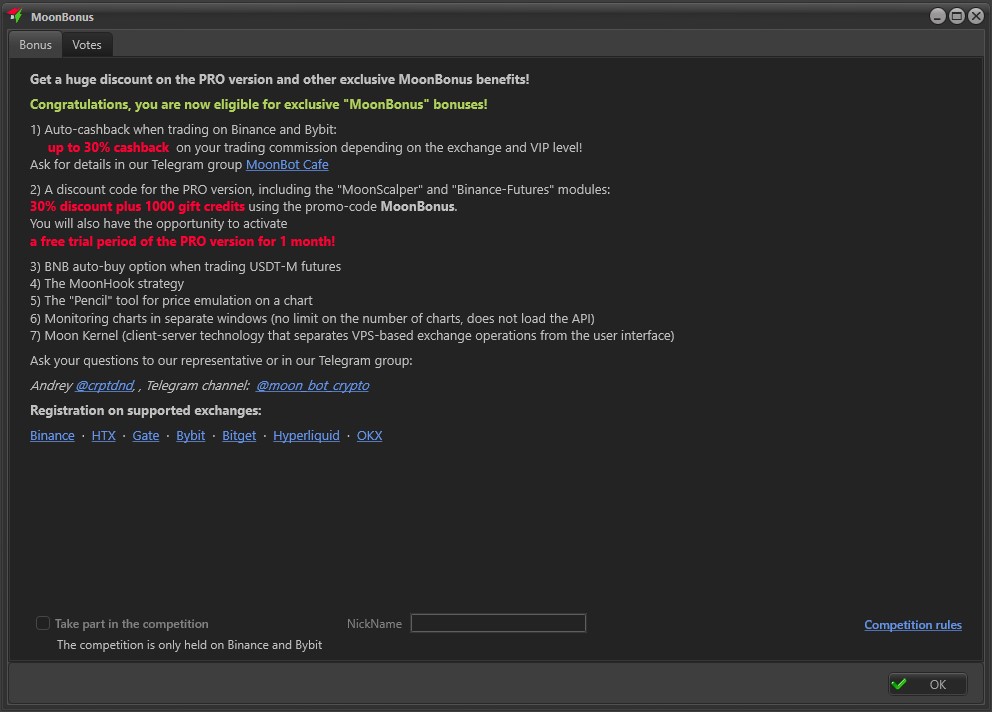
When the MoonBonus module is activated, the Bonus tab will display the green message:
Congratulations, you are now eligible for exclusive "MoonBonus" bonuses!
Ask your questions to our representative or in our Telegram group:
Andrey @crptdnd, Telegram group: @moon_bot_crypto