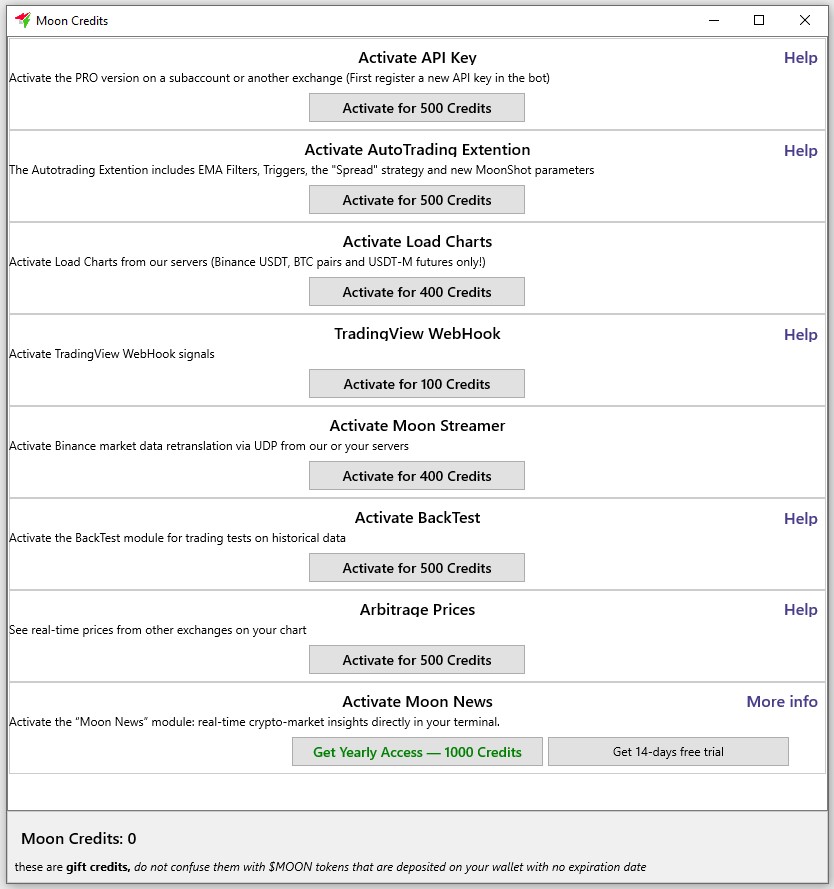
The "Moon News" module is activated in the "Moon Credits" window; an annual subscription costs 1000 MoonCredits.
You can click on the "Get 14-day free trial" button to activate the "Moon News" module for 14 days.
The "Moon News" module is used for manual and automated trading when news items are received by the Moonbot terminal.
News feeds for the "Moon News" module are received on our server from numerous sources, analysed using AI, and the relevant coins and tags are identified before being sent to the terminals of users who have subscribed to the service.
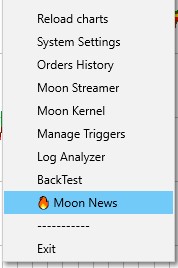
You can open the Moon News window in the terminal via Menu -> Moon News.
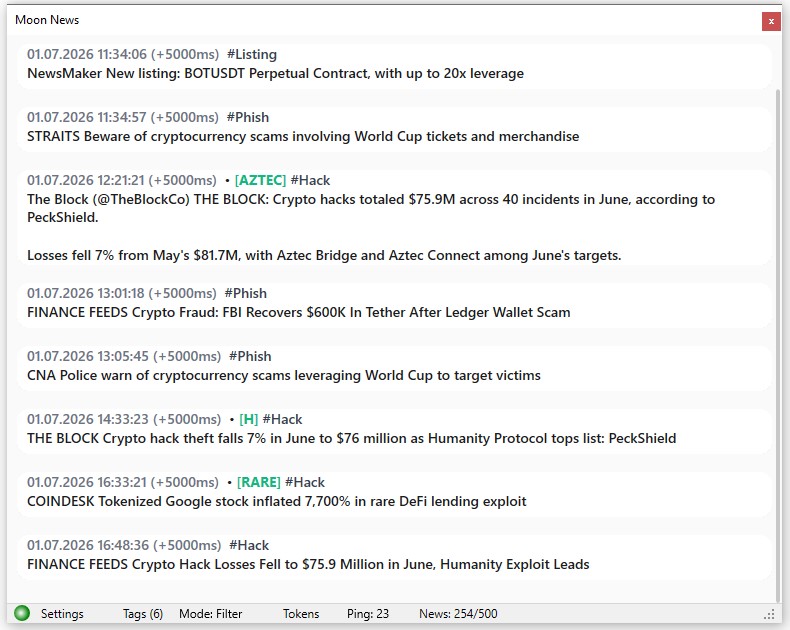
In this window, news items are displayed as a vertical feed, with the latest news appearing at the bottom.
You can scroll up or down through the news in the Moon News window using the mouse wheel.
The news item is formatted as follows:
-
First line: Date, Time, Processing delay in ms, Coin name, tag
-
Second line: A brief description of the news item itself
For example:
01.07.2026 11:34:06 (+2500ms) [BOT] #Listing
NewsMaker New listing: BOTUSDT perpetual contract with up to 20x leverage
Clicking on the coin’s name in the [BOT] news item will open its chart in the main window of your current Moonbot terminal.
Please note!
If you have several copies of Moonbot PRO terminals running on your computer, each connected to different exchanges, and a hotkey is set in the "Open coin in all bots" field under Settings -> Hotkeys on all of them, pressing that hotkey will open that coin on the other terminals as well.
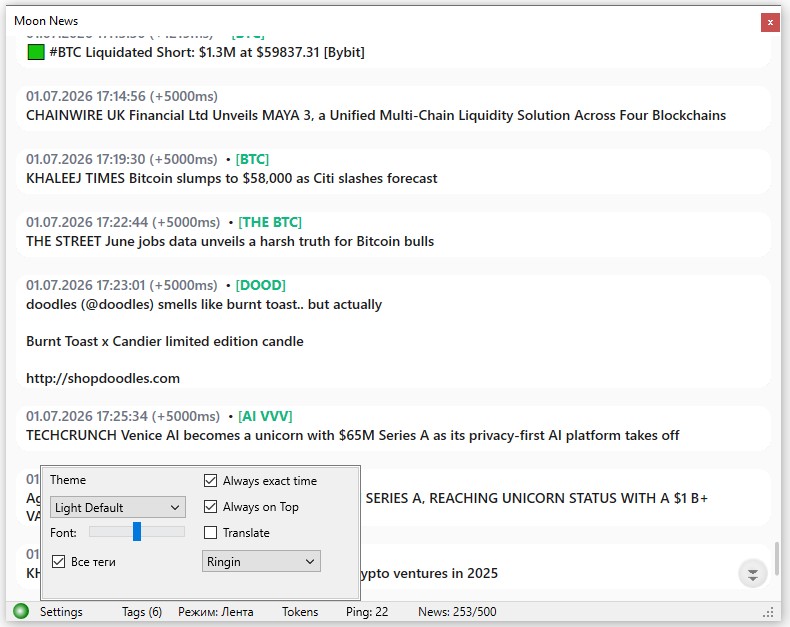
At the bottom of Moon News, you’ll find the following settings:
-
Settings
-
Theme - select a theme in the Moon News window. The following light and dark themes are available: Light Paper, Light Default, Light Classic, Light Quartz, Light Mist, Light Sand, Dark Carbon, Dark Navy, Dark Slate
-
Font: - the 5-position slider for adjusting the font size
-
Full tags - the tick box to select how news items are displayed based on tags:
-
if ticked, all news tags will be shown on the card
-
if unticked, only the selected filter tags will be shown (the Moon News window will be empty if there are no news items with the selected tags)
-
Always exact time - the tick box to select the time format for displaying news:
-
if ticked, the exact date and time will be shown to the left of the news item (e.g. 01.07.2026 18:34:24 (+1125ms) [SOL] ...))
-
if the tick box is not ticked, the time in seconds, minutes or hours that has elapsed since the news item appeared in the news feed will be shown to the left of the news item (e.g., 15 secs [BTC] ..., 24 mins [ETH] ..., 2 hours [HYPE] ...)
-
Always on Top - if this box is ticked, the Moon News window will run in "Always on Top" mode
-
Translate - the tick box for selecting news translation:
-
if this box is ticked, news items are initially displayed in English and are converted to Russian text after being translated on the server..
-
if the box is not ticked, news items are displayed in English and are not translated.
-
Sound selection menu - used to disable sound notifications or to set them when news arrives:
-
Sound: none - no sound
-
Alarm, Babytoy, Bark, Cork, Error, Hallo, PFIFF and others – select any audio alert available in the terminal.
-
Tags - the menu for selecting predefined tags. The following tags are currently available: #delisting, #elonmusk, #hack, #listing, #phish, #trump.
You cannot add your own tags; they are hard-coded and are used in the analysis of news items when processed by AI.
If any tags are selected, the number of selected tags is shown in brackets to the right of ‘Tags’, for example, "Tags (6)" if six tags have been selected from the list.
-
Режим: - the switch to change the news feed display mode:
-
Tokens - clicking this opens a field for entering tokens, separated by spaces, to filter the news displayed in the feed. If the field is empty, news for all tokens will be displayed.
-
Ping: - ping in milliseconds.
-
News: - the number of the latest news items loaded into the Moon News window out of a possible 500 entries.
For example: News: 253 / 500 means that 253 of the latest news items out of a possible 500 entries are currently loaded in the Moon News window.
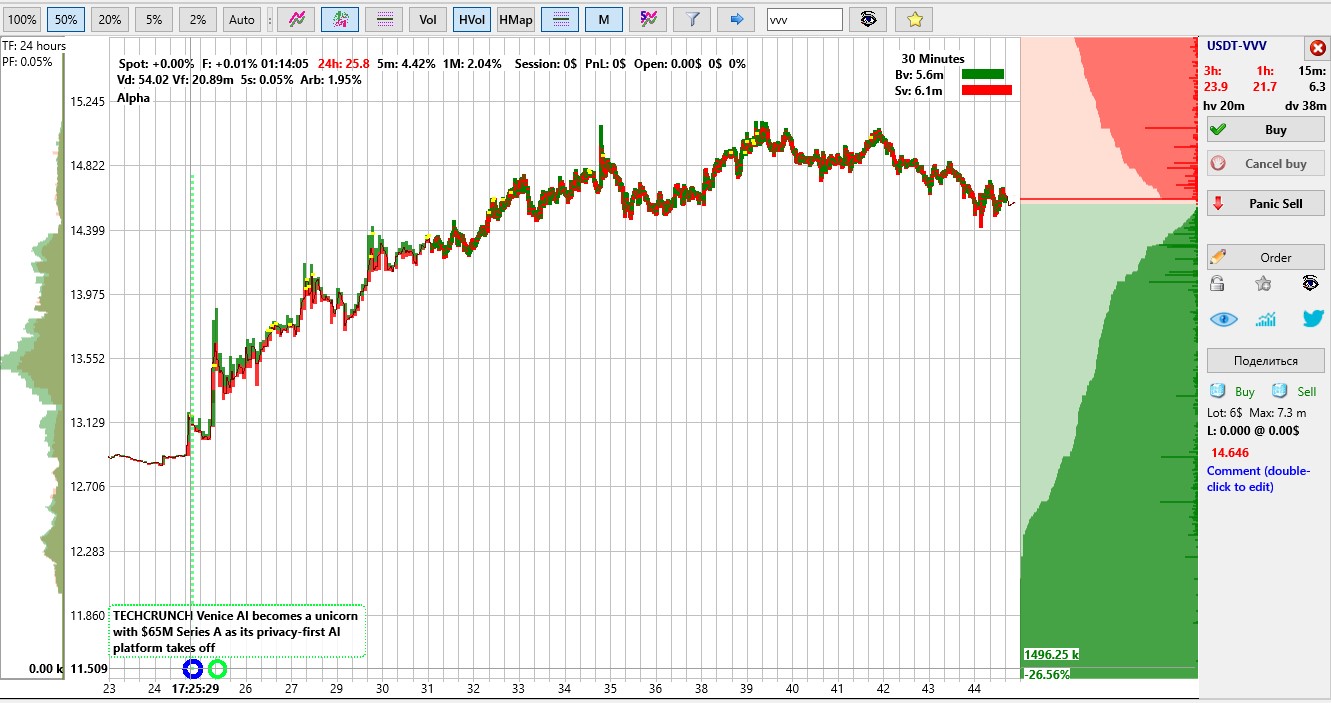
When a news item arrives in the Moon News feed, it is marked with a special indicator on the coin’s chart, and a news banner appears on the chart for 8 seconds. After that, only the news indicator remains on the chart. If you wish to view the news item in the banner on the chart again, hold down the CTRL key and move the cursor over the news indicator.
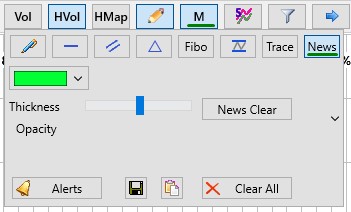
You can customise the graphical display of news labels on the coin chart via the "Pencil" button menu -> "News" button
When trading manually, news tags and alerts allow you to quickly understand the reason behind a coin’s rise or fall and immediately enter the trade with confidence.
When using automated trading, special trigger keys are activated when news is released, allowing you to launch strategies based on these triggers:
In other words, in the strategy settings on the Triggers Master / Slave tab, you can set TriggerByKey=201 or TriggerByKey=202 and specify the time in seconds in the TriggerSeconds parameter. In addition to these settings, strategies also allow you to configure additional filters and formulas (price increases, volume increases, and so on) to confirm that volatility has emerged on the coin following the news.